Which init systems are included?
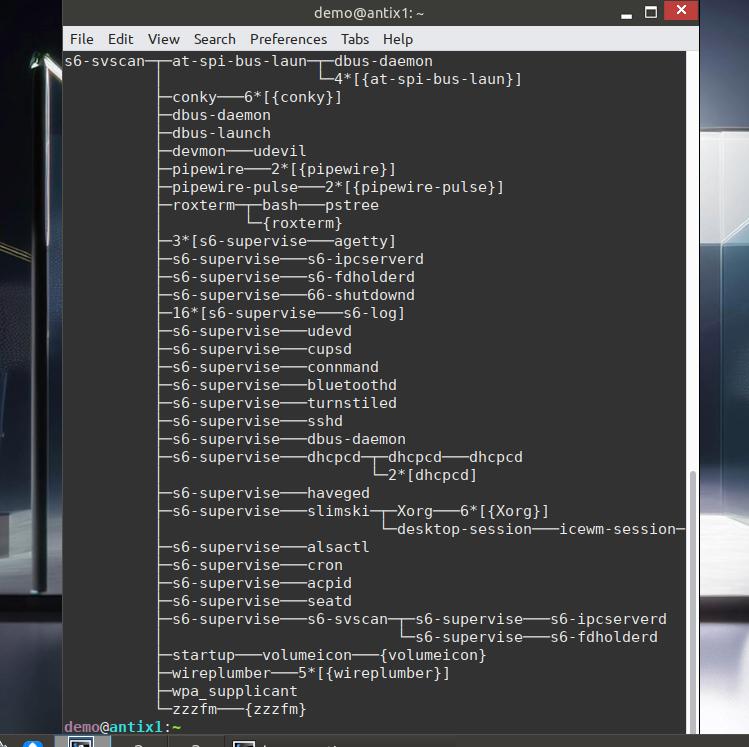
Thanks to ProwlerGR, the following init systems are include on antiX and they have been configured to function independently of each other.
*runit
*sysVinit
*dinit
*s6-rc
*s6-66
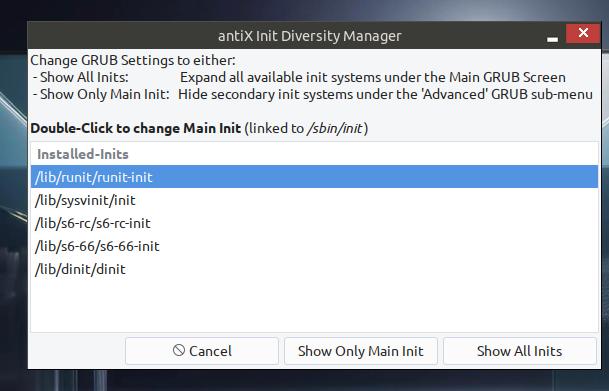
On an installed system, the chosen init will carry over to the next boot. We have provoded a tool that will allow user to show all or chosen init in the boot menu.
antiX-full includes several services packages for each installed init that most users will need. However, when installing extra packages, make sure you also install any needed service ones too. For example, network-manager will also need service packages for it to work correctly on boot. The syntax for each init service files are as follows, where * = package name:
-
runit-service-*
-
dinit-service-*
-
s6-rc-service-*
-
66-service-*
If no service files are provided, but are needed, head over to the antiX forums to make a request.
Runit
runit is a modern init system and service supervisor that replaces traditional ones like sysvinit, managing system startup (stages 1-3), services (using runsvdir), and shutdown, featuring simple, fast, and reliable supervision tools like sv (service control) for commands like sv up, sv down, sv restart, and sv status, providing a clean process environment for daemons and robust logging
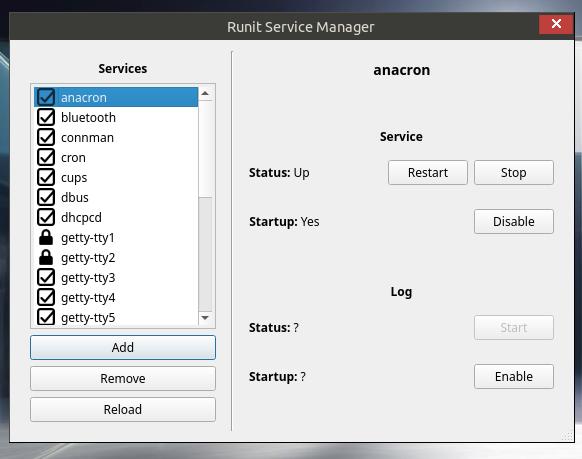
runit is the default init used by antiX and has been used since 2021. antiX-full comes with a gui tool to help runit service management. Use this tool to start/stop services just for the session or to remove services from startup.
SysVinit
SysVinit is a traditional init system that served as the standard for Linux for years, managing system boot and services sequentially using shell scripts in /etc/init.d/ and defining states via runlevels (0-6). Its history is marked by widespread use due to its simplicity and compatibility.
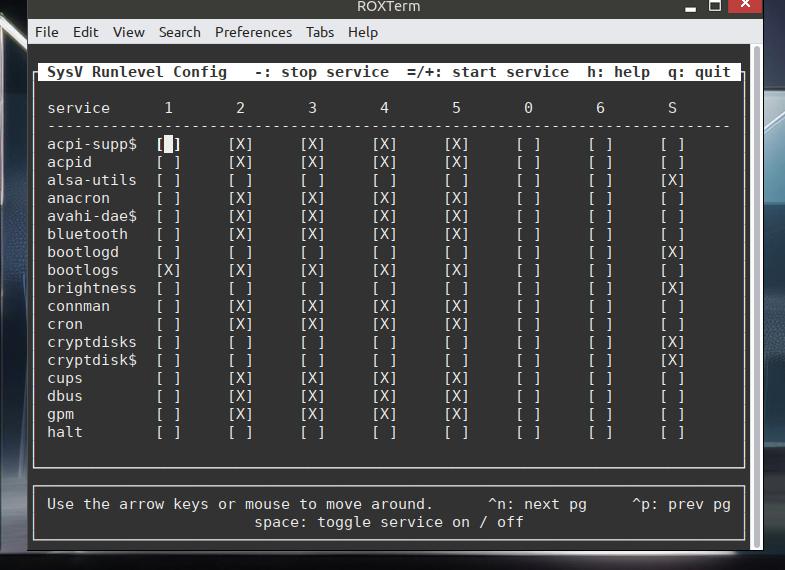
sysVinit has been the init used by antiX since 2007. antiX-full comes with a basic tui tool to help with management of sysVinit services. Use this tool to start/stop services just for the session or to remove services from startup.
Dinit
Dinit is a service supervisor with dependency support which can also act as the system "init" program. It was created with the intention of providing a portable init system with dependency management, that was functionally superior to many extant inits. Development goals include clean design, robustness, portability, usability, and avoiding feature bloat. Dinit is designed to integrate with rather than subsume or replace other system software.
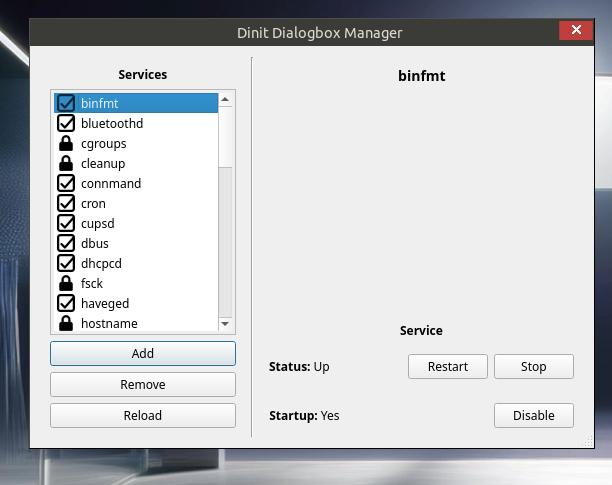
Dinit is another recent addition to antiX. antiX-full includes a gui tool to help with dinit service management. Use this tool to start/stop services just for the session or to remove services from startup.

|
When rebooting or halting a live session, there is a delay. |
s6-rc
s6 is a collection of utilities revolving around process supervision and management, logging, and system initialization.
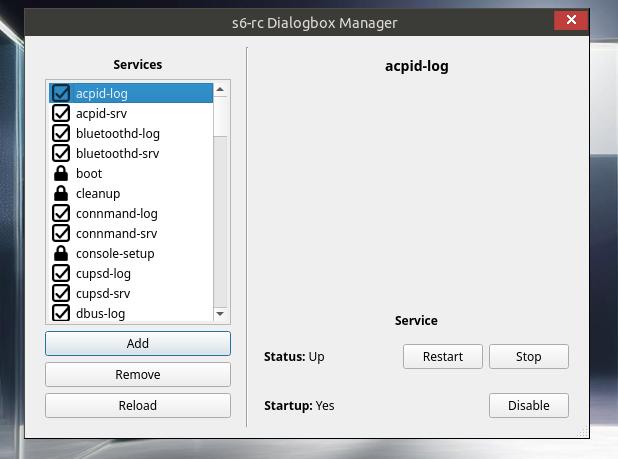
s6-rc is a new addition to antiX and should be considered more experimental. antiX-full comes with a gui tool to help with s6-rc service management. Use this tool to start/stop services just for the session or to remove services from startup.
s6-66
66 is a service manager designed around the s6 supervision suite to simplify the implementation and management of service files. It provides a comprehensive toolbox for declaring, implementing, and administering services with minimal code while delivering powerful functionality.
s6-66 (or 66) is another new addition to antiX. Presently, there is no service management tool so users will have to use the command line interface.
|
|
When booting live, s6-66 needs time (20-30 seconds) to initialise its settings. RAM and CPU usage during this time is higher than usual. |
These are the basic commands for service management.
-
Start a service: Immediately launches the service. sudo 66 start <service_name>
-
Stop a service: Shuts down a running service. sudo 66 stop <service_name>
-
Restart a service: Stops and then starts the service. sudo 66 restart <service_name>
-
Status of a service: Checks if a service is running and views its current state. sudo 66 status <service_name>
-
Enable a service: Configures the service to start automatically at boot. sudo 66 enable <service_name>
-
Disable a service: Prevents the service from starting automatically at boot. sudo 66 disable <service_name>
-
Setting TimeZone sudo 66 configure -e leafpad boot@system
Edit TZ= eg TZ=America/Chicagosudo 66 reconfigure boot@system